Overview of Your Docubee Dashboard
Log in to Docubee and access your dashboard.
What is my Dashboard?
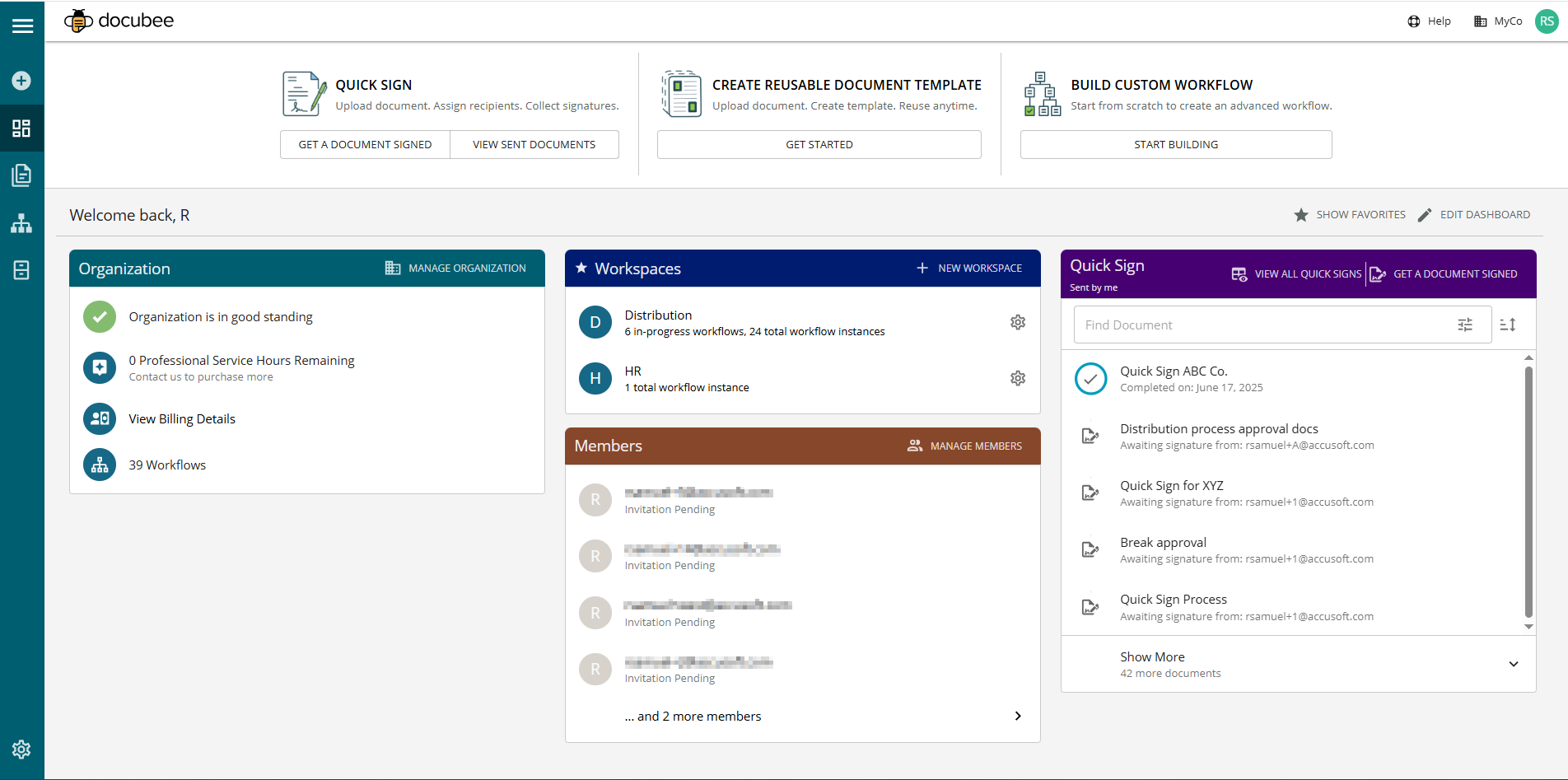
Your dashboard displays your active Organization details, Workspaces, and Members information, and sent Quick Signs in modules. Modules are on the lower section of your dashboard and can be customized.
From this Overview page, you can manage your organization, create a new workspace, and manage members of your organization, and review the Quick Signs you sent. See Overview of Organizations, Workspaces, and Members for more information.
Your dashboard offers access to features and navigation at the top of the dashboard, the left nav bar, and the footer.

Top of the Dashboard
The upper-right corner provides access to help and your account:
- Account - Click your account or profile icon at the upper-right corner of your screen to display the profile menu with the following options: Profile Settings, Manage Organization, Manage Billing, Switch Organization, and Logout.
Note: Alternatively, from the left nav bar, you can:
- Access organizations settings by clicking the Settings icon
- Switch or change organization by clicking the down arrow beside your organization name.
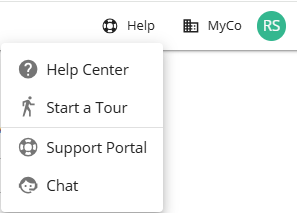
- Help - Click the Help icon (lifebuoy icon) to display the menu with the following options: Help Center, Start a Tour, Support Portal, and Chat.
- Help Center - Open the Help Center to easily search and filter for articles.
- Start a Tour - Explore our guided tours on:
- Create a Document Template Tour
- Dashboard Tour
- Quick Sign Tour
- Support Portal - Access our support portal for further assistance.
- Chat - Connect directly with a Docubee Support representative via chat.
The top of the dashboard offers quick access to the following:
- Quick Sign - Quickly initiate an esignature process.
- Click Get A Document Signed to upload a document, assign recipients, and collect signatures.
- Click View Sent Documents to view the sent documents in Documents Quick Signs for the active workspace.
- Create Reusable Document Template - Click Create Template to upload a document, create a template, and reuse as required.
- Build Custom Workflow - Click Get Started to build an advanced workflow from scratch.
Left Nav Bar
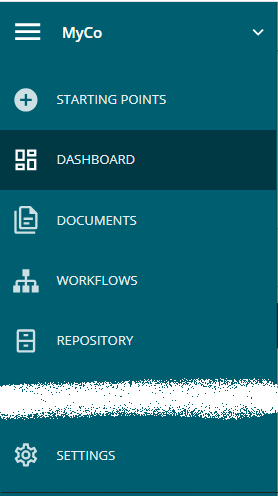
The left nav bar has the following icons:
- Menu - Click the menu icon to open or close the slide drawer of menu options. Your organization name is displayed beside the icon. Click the down arrow beside your organization name to open the Change your Organization modal where you can switch organizations or create a new organization.
Note: You can also change organization from your account menu using the Switch Organization option.
- Starting Points - Click the Starting Points icon to send a document for signing, create a contract, or add a new document to the Documents library. See Starting Points to Add a New Document for more information.
- Dashboard - Click the Dashboard icon to return to the dashboard, offering quick access to essential features and information. Customize it by hiding the top quick access buttons and configuring the modules section.
- Documents - Click the Documents icon to view the Documents Library.
- Workflows - Click the Workflows icon to display the workflows in your active organization. See All About Workflows (Quick Reference) for articles on workflows.
- Repository - Click the Repository icon to display the repository of the active workspace. See Overview of Your Docubee Repository for more information.
- Settings - Click the Settings icon to display the Organization, Members, Billing, Webhooks, and Workspace information and manage them. You can also edit individual workspace settings here.
Note: You can also access organization and workspace settings from your Account menu using the Manage Organization option.
Footer
The footer offers access to help and support:
- Help Center - Click the Help Center link to open the Help Center page where you can search and/or filter by category to find solutions and answers to your questions, and guidance on using Docubee.
- FAQ - Click the FAQ link to open the Frequently Asked Questions page where you can find answers to several frequently asked questions on Docubee’s capabilities, pricing, security and more.
- Security - Click the Security link to open the Frequently Asked Questions page Security & Compliance section where you can find answers to frequently asked questions on Docubee’s security.
Related Information
Customize Your Docubee Dashboard
Overview of the Documents Section
Overview of Organizations, Workspaces, and Members
Docubee Glossary
Need more help getting set up? Contact us for assistance from our customer support team or register for Office Hours.
 at the upper-right corner of your screen to display the profile menu with the following options: Profile Settings, Manage Organization, Manage Billing, Switch Organization, and Logout.
Note: Alternatively, from the left nav bar, you can:
at the upper-right corner of your screen to display the profile menu with the following options: Profile Settings, Manage Organization, Manage Billing, Switch Organization, and Logout.
Note: Alternatively, from the left nav bar, you can:
 (lifebuoy icon) to display the menu with the following options: Help Center, Start a Tour, Support Portal, and Chat.

 to return to the dashboard, offering quick access to essential features and information. Customize it by hiding the top quick access buttons and configuring the modules section.
 to view the
  to display the workflows in your active organization. See
  to display the repository of the active workspace. See
  to display the Organization, Members, Billing, Webhooks, and Workspace information and manage them. You can also edit individual workspace settings here.
Note: You can also access organization and workspace settings from your Account menu using the Manage Organization option.
to display the Organization, Members, Billing, Webhooks, and Workspace information and manage them. You can also edit individual workspace settings here.
Note: You can also access organization and workspace settings from your Account menu using the Manage Organization option. The footer offers access to help and support: